
Lost Ember 2 – Gameplay & Feature Summary (Unreal Engine Prototype)
(Based on your real C++ implementation)
Overview
Lost Ember 2 is a third‑person puzzle game built entirely in Unreal Engine 5 using a strict C++ architecture. You play as an ember racing against time to reach the fire before your life fades away.
Core Gameplay Loop
Complete three puzzles within a limited time. One puzzle per room to progress toward the final goal.
Player Controller
The Ember is a fully C++‑driven ACharacter with smooth third‑person movement and an advanced interaction system.
Long‑Range Interaction
Ember uses a two‑step raycast system:
- First raycast from the camera to determine the target point
- Second raycast from the player to that point to detect interactables
Camera & Movement
- Third‑person camera using
USpringArmComponent - Player‑controlled rotation
- Movement aligned with controller yaw:
“const FRotator YawRot(0.f, Controller->GetControlRotation().Yaw, 0.f);”
Interaction System
A generic interface allowing any actor to become interactable:
UFUNCTION(BlueprintNativeEvent, BlueprintCallable) void Interact(AActor* Interactor);
Used by:
- ButtonLight
- LightNode
Light Activation System
The core progression mechanic: activating lights.
Every puzzle eventually calls:
GM->RegisterLightActivated(); (LightNode.cpp)
This ties all puzzles into a unified progression system managed by the GameMode.
Puzzle 1 – Button Sequence
A sequence‑based puzzle where the player must press buttons in the correct order.
Logic
- Each button (
AButtonLight) has an index and visual state. - The puzzle checks the pressed index:
“if (CorrectOrder[CurrentIndex] == PressedIndex)” (ButtonSequencePuzzle.cpp)
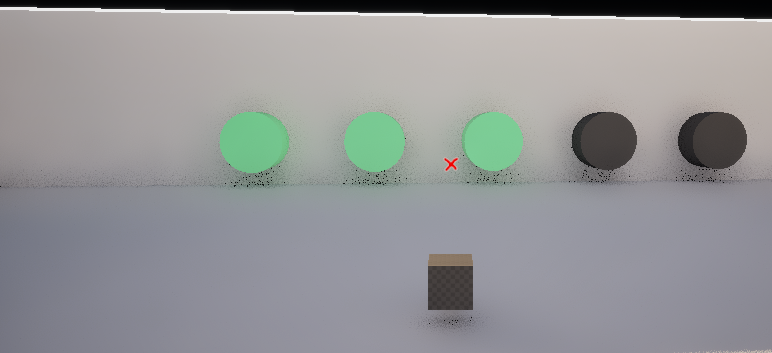
Visual Feedback
Buttons switch materials depending on state:
“Mesh->SetMaterial(0, MatOn);” “Mesh->SetMaterial(0, MatError);” (ButtonLight.cpp)
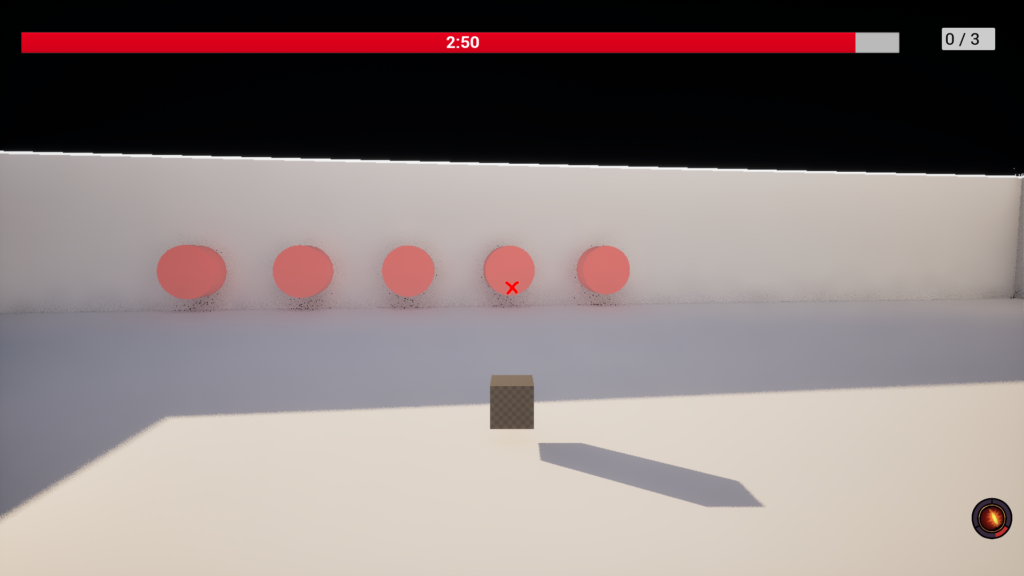
Error Handling
On wrong input, the puzzle reset to is initial state:
“FlashError();” “Wait 1.0 sec before resetting” (ButtonSequencePuzzle.cpp)
Completion
When the full sequence is correct:
“GM->RegisterLightActivated();”
Puzzle 2 – Pressure Plate
Three pressure plates must be activated simultaneously.
Activation
Plates activate when:
- The player stands on them
- A pushable cube (
APushableLightCube) is placed on them
Puzzle Completion
The manager checks:
“Plate1->bIsActivated && Plate2->bIsActivated && Plate3->bIsActivated” (PuzzlePlateManager.cpp)
Then:
“GM->RegisterLightActivated();”
Puzzle 3 – Light Path
A hidden path puzzle where the player must follow glowing lights on the ground to find the correct route.
Checkpoint Behavior
- Overlap triggers teleportation:
“Player->SetActorLocation(TeleportLocation);” (LightPathCheckpoint.cpp)
- Final checkpoint completes the puzzle:
“Final checkpoint reached! Puzzle complete.” “Manager->CompletePath();”
Manager Logic
After completion:
“Checkpoint->BoxComponent->SetCollisionEnabled(ECollisionEnabled::NoCollision);” (LightPathManager.cpp)
And registers a light activation:
“GM->RegisterLightActivated();”
🚪 Door System
Two door types exist:
1. FinalDoor (Animated Door)
Opens when enough lights are activated:
“if (GM->GetActivatedLightCount() >= RequiredLights)” (FinalDoor.cpp)
Smooth interpolation:
“FMath::VInterpTo(GetActorLocation(), TargetLocation, DeltaTime, OpenSpeed);”
2. DoorsToOpen (Instant Doors)
GameMode destroys doors one by one:
“Door->Destroy();” (LostEmberGameMode.cpp)
Timer System
The player has three minutes to complete the game. When time runs out, the player dies and the Game Over scene appears.
Victory Trigger
After solving all puzzles and entering the final room, the victory screen is triggered.
UI Systems
HUD
Displays:
- Timer
- Light progress
Main Menu
Buttons:
- Start → loads GameMap
- Exit → quits the game
Technical Strengths
- Clean, modular C++ architecture
- Unified progression system via GameMode
- Advanced long‑range interaction system
- Multiple puzzle types (sequence, pressure plates,path)
- Dynamic door logic (animated + instant)
- Fully functional HUD and menu
- Strong use of interfaces, collision channels, and Unreal components
- Clear separation between gameplay logic and UI